
How Do You Fix a Car Radio After the Battery Dies in Minutes?
Your battery dies, you jump-start the car, and suddenly the radio won’t work. Sound familiar? So, how do you fix a car radio after the battery dies? The solution is often simpler than it seems, but missing one small step can keep the system locked or silent. Let’s uncover what’s really happening and how to fix it fast.
More guidance at audio car repair shops in Brooklyn.
TL;DR:
A car radio may stop working after a battery change due to lost memory, anti-theft security lock activation, blown fuses, or loose connections. Fixing it usually involves checking power and fuses, resetting the radio, entering the correct security code, and inspecting wiring and the antenna. If it still fails after testing, the issue may be internal and require professional diagnosis.
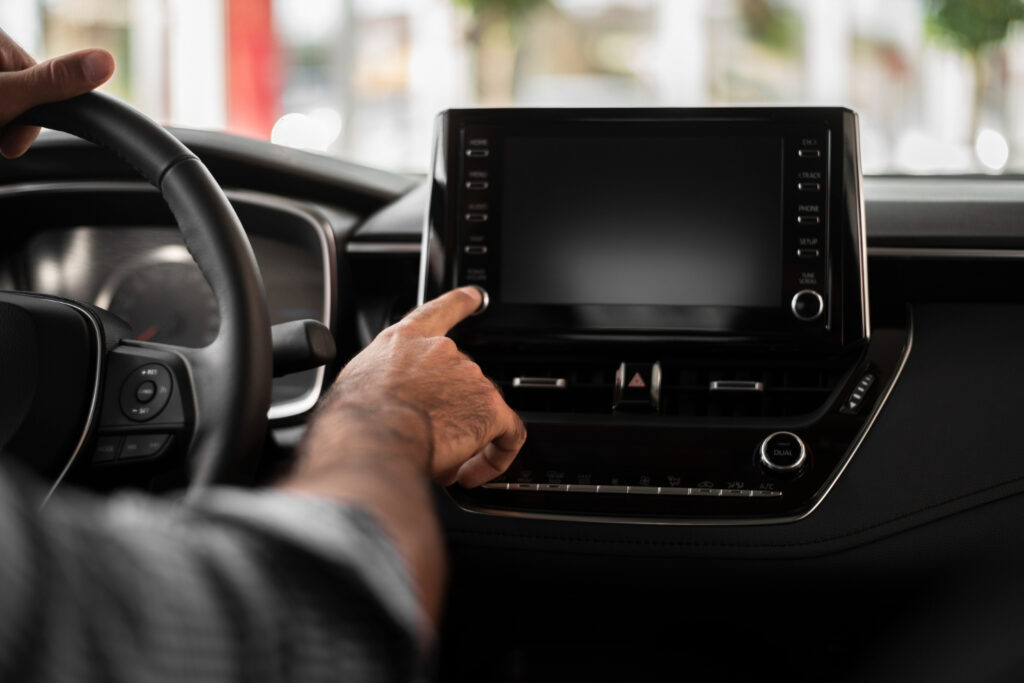
Why Does a Car Radio Stop Working After a Battery Change?
When a car battery is replaced, the electrical power that keeps the radio’s electronics and memory circuits active is temporarily interrupted. Modern car radios depend on a constant supply of voltage to retain settings such as station presets, clock time, and stored configurations. Because many of these systems rely on volatile memory, cutting power during a battery change can cause it to reset and lose its saved data.
Another common reason involves anti-theft protection systems built into many factory-installed radios. These systems detect when battery power is disconnected and automatically place it into a locked state to prevent unauthorized use. After the battery is changed, the radio may display a message such as “CODE” and remain disabled until the correct security code is entered to verify ownership.
In some cases, the issue is more practical than electronic. Blown fuses or loose electrical connections that occur during the battery replacement process can stop power from reaching it altogether. This combination of memory loss, security lock activation, and possible power supply issues explains why a radio that worked before a battery change may suddenly stop functioning afterward.
Checking Power and Fuse Connections
The first diagnostic step after it stops working is to confirm that the unit is actually receiving electrical power. Car radios are connected to the vehicle’s electrical system through fuses, which act as protective links. If a fuse blows due to a surge or short, the radio loses power completely and will not turn on.
To check this safely:
- Locate the vehicle’s fuse boxes, typically one in the engine bay and another inside the cabin
- Identify the fuse labeled for the radio or audio system
- Remove and inspect the fuse a broken filament or blackened appearance indicates it is blown
- Replace the fuse with the same amperage rating, as using the wrong rating can cause further electrical issues
In addition to fuse checks, make sure the battery terminals are clean and securely tightened, since loose or dirty connections can interrupt voltage to the radio. When working with the battery, always disconnect the negative terminal first and reconnect it last to minimize the risk of shorts. Verifying fuses and power connections often resolves simple failures that occur after a battery replacement.
Resetting the Radio System
Once you’ve confirmed the radio has power and no fuses are blown, the next step is resetting the system. A reset clears temporary glitches and restores factory default settings, though it may erase saved presets and personal preferences.
The basic reset procedure often includes:
- Turning off the ignition and ensuring it is off
- Disconnecting the negative battery terminal for several minutes to drain residual power
- Reconnecting the battery and turning the vehicle to the ACC (accessory) position
This process effectively reboots the radio’s internal electronics, similar to restarting a computer after a power interruption. Some radios may also have a dedicated reset button behind the faceplate or a reset option within the system menu, so checking the vehicle’s manual for model-specific instructions is recommended.
Entering the Radio Security Code
Many factory-installed radios use an anti-theft security feature that activates when power is disconnected. After a battery change, it may lock and display a prompt such as “CODE” until the correct security code is entered.
Essential points to know:
- The code is usually provided in the owner’s manual or a security card
- It may also be retrievable through the manufacturer using the vehicle identification number or serial number
- Entering the wrong code repeatedly can further lock the system, requiring additional assistance
Once the correct code is entered, it should return to normal operation, although station presets and settings may need to be reprogrammed.
Inspecting Wiring and Antenna
If it still does not function after power checks and resets, the issue may involve the wiring or antenna. Wiring problems can occur if connectors were disturbed during the battery replacement or if corrosion, loose terminals, or poor grounding is present.
A quick inspection may include:
- Checking the wiring harness behind the radio for loose or disconnected plugs
- Paying close attention to the ground wire, as poor grounding can cause intermittent or complete power loss
- Verifying that the antenna cable is securely connected and undamaged
While antenna issues won’t usually prevent the radio from powering on, they can result in poor reception or no sound, even when it appears to be working.
Testing Radio Functionality After Restart
Once all prior steps have been completed, power verification, fuse replacement, system reset, security code entry, and wiring and antenna checks, it is time to test the radio’s functionality. This step confirms whether the issue has been resolved or if additional troubleshooting is necessary.
Start by turning the ignition to the accessory or “On” position and powering up the radio. Check that the display activates and listen for sound output. Tune through several frequencies to ensure it can receive signals properly, and verify that presets can be programmed and stored. If available, test other audio features such as Bluetooth, USB, or auxiliary inputs to confirm full system operation.
If the power is on but there is no sound or the audio is distorted, the problem may be related to the speakers rather than the radio itself. If it still does not turn on despite all electrical checks being correct, this suggests a deeper internal hardware or software issue within the unit, in which case professional diagnostic assistance may be required.
Key Takeaways
- Battery disconnection can disable the radio
Replacing or jump-starting a battery cuts power to the radio’s memory circuits. This can erase saved settings or trigger anti-theft locks. As a result, it may reset, lock, or stop working entirely. - Security locks and power issues are common causes
Many factory radios activate a security mode after power loss and require a code. Blown fuses or loose battery connections can also cut power to the radio. These are the most frequent reasons radios fail after a battery change. - Checking fuses and connections is the first fix
Inspect the fuse in the fuse boxes and replace it if blown.Ensure battery terminals are clean and tightly connected. These simple checks often restore function quickly. - Resetting and unlocking the radio may be required
Disconnecting the battery briefly can reset internal glitches. Locked radios need the correct security code to resume operation. Incorrect code entry can cause further lockouts. - Final testing confirms whether deeper issues exist
After restarting, test tuning, presets, and other audio features. No sound may point to speaker or antenna issues. If it still fails, internal hardware or software faults may require professional diagnosis.
FAQs:
How do I reset my car radio after the battery dies?
Turn the ignition off, disconnect the negative battery terminal for a few minutes, then reconnect it and turn the key to the accessory position to reboot the radio.
Why is my radio not working after my battery died?
Power loss can reset the radio’s memory, activate an anti-theft lock, blow a fuse, or loosen electrical connections during the battery change.
How do I reset my car radio?
A basic reset involves cutting power briefly by disconnecting the battery, or using a built-in reset option if available, to clear temporary glitches.
Why is my car radio asking for a code after the battery died?
Many factory radios have anti-theft protection that locks the system after power loss and requires a security code to verify authorized use.
You May Also Like:
How Much Does It Cost to Fix a Car Radio? Know the Prices
Radio Not Working in Car: Common Causes and Fixes
How to Reset Car Radio: Step-by-Step Guide
Reviewed by Carlos Jimenez – Mechanic